
Using the IPEVO Document Camera in a Classroom
Displaying Content Using the Document Camera
Ensure that the document camera is connected to the computer via the USB cable. You can present the document camera image on both Chromebooks, and Windows laptops. To do this, follow the instructions below.
Presenting using the Visualizer browser application
You can use a browser application to display the IPEVO document camera feed.
Ensure that the IPEVO 4k document camera is plugged into the computer via the USB cable.
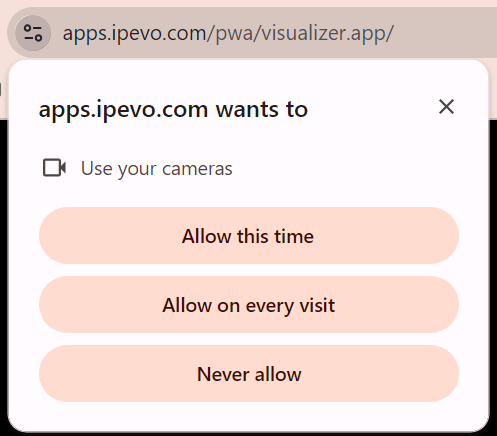
Navigate to https://apps.ipevo.com/pwa/visualizer.app/
When first visiting the application, you will be asked to allow permission to your camera. Select allow on every visit.
The video feed will be displayed. You can then choose to Cast this tab, or connect your computer to the TV/projector via HDMI.
Was this article helpful?
That’s Great!
Thank you for your feedback
Sorry! We couldn't be helpful
Thank you for your feedback
Feedback sent
We appreciate your effort and will try to fix the article